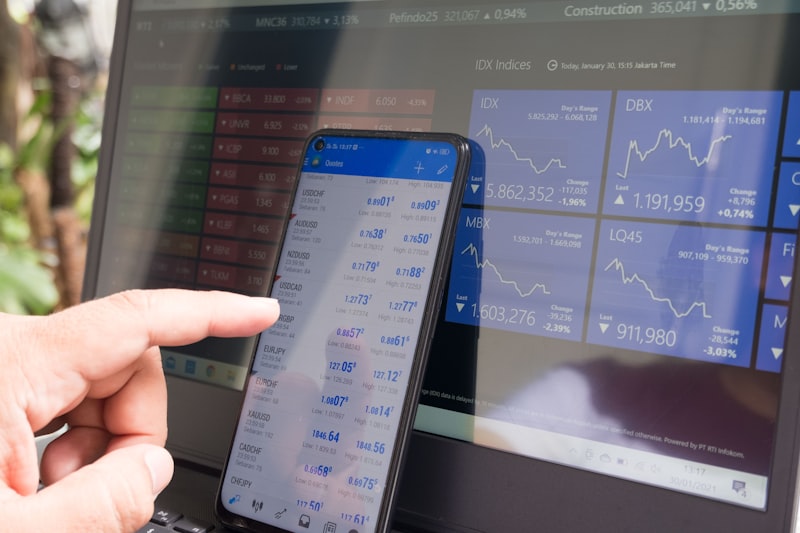
TradingView webhook latency is the silent killer of automated trading strategies. Your Pine Script strategy fires the perfect entry on the 1-minute chart. Two seconds later, the webhook hits your server. Another 500ms for the copier to parse and send the order. By the time MT5 executes, price has moved 3 pips — and your edge is gone.
Reddit threads are full of traders reporting 1–3 second webhook delays, with some seeing spikes of 5–10 seconds during high-volatility news events. Understanding where this latency comes from — and how to minimize it — is critical for anyone automating TradingView strategies.
Where TradingView Webhook Latency Comes From
The total delay from signal to trade execution has four distinct stages:
| Stage | Typical Delay | You Can Control? |
|---|---|---|
| 1. Alert condition evaluation | 100ms–2s | Partially (plan tier) |
| 2. Webhook HTTP delivery | 50ms–500ms | Yes (server location) |
| 3. Copier parsing + order prep | 10ms–200ms | Yes (copier quality) |
| 4. Broker execution | 50ms–300ms | Partially (broker choice) |
Stage 1: TradingView's Alert Processing Queue
TradingView processes alerts on server-side infrastructure. When your condition triggers, it enters a queue. Lower-tier plans (Essential, Plus) share processing resources with millions of other users. Premium and Expert plans get priority processing, which is why webhook speed improves dramatically on higher tiers.
During high-volatility events (NFP, FOMC, CPI releases), the alert queue gets congested. Everyone's strategies are triggering simultaneously, and TradingView's servers process them in batches. This is where 3–5 second delays commonly occur.
Stage 2: HTTP Delivery
Once TradingView processes the alert, it sends an HTTP POST request to your webhook URL. The speed of this delivery depends on the network distance between TradingView's servers (US-based) and your receiver endpoint. A VPS in New York responds faster than a home server in Australia.
Stage 3: Copier Processing
Your trade copier receives the webhook, parses the JSON message, maps the symbol, calculates lot sizes, and prepares the order. A well-optimized copier does this in under 50ms. Poorly written copiers with excessive logging, database writes, or synchronous processing can add 200ms+.
Stage 4: Broker Execution
The copier sends the order to MT5, which routes it to your broker's server. Execution speed varies by broker — ECN brokers with direct market access fill faster than market makers. A VPS close to your broker reduces this final hop.
Fix 1: Upgrade Your TradingView Plan
The single biggest improvement comes from upgrading your TradingView subscription. The alert processing priority difference between Essential and Premium is measurable:
| Plan | Alert Priority | Typical Webhook Speed |
|---|---|---|
| Essential ($12.95/mo) | Standard queue | 1–3 seconds |
| Plus ($24.95/mo) | Standard queue | 1–2.5 seconds |
| Premium ($49.95/mo) | Priority queue | 0.5–1.5 seconds |
| Expert ($199.95/mo) | Highest priority | 0.3–1 second |
For traders running strategies where 1 second matters, Premium is the minimum viable plan. The cost pays for itself if you avoid even one bad fill per week due to latency.
Fix 2: Use a VPS Near TradingView's Servers
TradingView's infrastructure is primarily US-based. Running your webhook receiver on a VPS in New York or Virginia (AWS us-east-1, for example) minimizes the network hop. A VPS in Singapore adding 200ms of round-trip time is 200ms you can eliminate.
If you also need your MT5 close to your broker, consider a dual-VPS setup or a single VPS that is geographically between TradingView's servers and your broker. Read our MT5 VPS setup guide for detailed instructions.
Fix 3: Optimize Your Webhook Message
Smaller webhook payloads are processed faster. Instead of sending verbose messages with descriptions, send minimal JSON:
Slow (verbose):
{"action": "open_long_position", "instrument": "EURUSD", "volume": 0.1, "stop_loss_pips": 50, "take_profit_pips": 100, "comment": "My strategy entry"}
Fast (minimal):
{"a": "buy", "s": "EURUSD", "l": 0.1, "sl": 50, "tp": 100}
The copier should handle both formats, but fewer bytes mean faster transmission and parsing.
Fix 4: Use Alert Conditions That Fire Cleanly
Some alert conditions cause false triggers or multiple fires, which overwhelms the processing queue:
- Avoid "Once Per Bar" for real-time entries — this waits for the bar to close before confirming the alert, adding up to one full candle of delay
- Use "Once Per Bar Close" only when you specifically want confirmed candle closes
- Use "Every Time" carefully — it fires on every tick that meets the condition, which can spam your copier with duplicate signals
- Combine conditions to reduce false triggers — a single well-designed alert is faster than multiple alerts that your copier must filter
Fix 5: Choose a Fast Trade Copier
The copier layer should be invisible — processing in milliseconds, not seconds. Key performance characteristics of a fast copier:
- Asynchronous webhook handling — responds to TradingView immediately (200 OK) and processes the trade in the background
- Pre-mapped symbols — symbol mapping is cached, not looked up on every trade
- Direct MT5 communication — no intermediary cloud relay that adds another network hop
- Minimal logging — file writes are slow; a fast copier logs asynchronously
Cloud-based copiers that relay through their own servers add an extra hop: TradingView → Cloud Service → Your MT5. A local copier like TradingView Copier Pro eliminates the middle step entirely.
Fix 6: Match Timeframe to Latency Tolerance
The most practical fix is matching your strategy's timeframe to acceptable latency:
| Strategy Timeframe | Typical Target | Latency Impact |
|---|---|---|
| 1-minute scalping | 3–5 pips | Critical — 1-2s delay kills edge |
| 5-minute intraday | 10–20 pips | Moderate — some slippage acceptable |
| 15-min to 1-hour | 30–100 pips | Minimal — 2s delay is negligible |
| 4-hour / Daily | 100+ pips | None — entry timing barely matters |
If your strategy targets moves of 20+ pips, webhook latency is essentially a non-issue. A 1–2 second delay on a 50-pip target move is noise. Focus your latency optimization efforts only if you are trading sub-10-pip strategies.
Measuring Your Actual Latency
To measure end-to-end latency, include a timestamp in your webhook message:
Webhook message with timestamp:
{"a":"buy","s":"EURUSD","l":0.1,"t":"{{timenow}}"}
Your copier logs the received time and compares it to the TradingView {{timenow}} value. The difference is your Stage 1 + Stage 2 latency. Compare this against the MT5 order timestamp to measure the full pipeline.
Track latency over 50+ signals to establish your baseline. Spikes during news events are expected — consistent 3+ second delays during normal trading hours indicate an infrastructure problem that needs fixing.
When Webhook Latency Is Not Your Real Problem
Many traders blame webhook latency when the real issue is elsewhere:
- Strategy overfitting — your backtest shows profits that live trading cannot reproduce, regardless of latency
- Spread costs — your strategy does not account for live spreads, and "slippage" is actually spread
- Alert misconfiguraction — your alert is not firing at all, which feels like "infinite latency"
- MT5 disconnections — your MT5 terminal disconnects from the broker, and trades queue up then execute late
Minimize Latency with Local Execution
TradingView Copier Pro runs locally on your VPS alongside MT5 — no cloud relay, no extra network hops. Webhook to trade in under 200ms.
Get TradingView Copier Pro →Frequently Asked Questions
How fast are TradingView webhooks?
TradingView webhooks typically fire within 1-3 seconds of the alert condition being met. On higher-tier plans (Premium/Expert), webhooks can fire within 500ms. The total end-to-end latency from signal to MT5 trade execution depends on your copier processing time and broker execution speed — typically adding another 200-800ms.
Why is my TradingView webhook slow?
Common causes include: using a lower-tier TradingView plan (free/Essential), server-side alert processing delays, slow webhook receiver (your copier endpoint), network latency between TradingView and your server, and MT5 broker execution delays. TradingView processes alerts in batches, and lower-tier plans get lower priority.
Can I reduce TradingView webhook latency?
Yes. Upgrade to Premium or Expert plan for faster alert processing, use a VPS geographically close to TradingView's servers, optimize your webhook receiver for fast response times, use lightweight alert message formats, and ensure your MT5 broker has fast execution. These changes combined can reduce total latency from 3+ seconds to under 1 second.
Is TradingView webhook latency too slow for scalping?
For aggressive scalping targeting 3-5 pip moves, 1-3 second webhook latency is generally too slow — the move may already be over by the time the trade executes. For swing trading, position trading, and strategies targeting 20+ pip moves, webhook latency is negligible. Many traders successfully automate strategies with 10+ pip targets using webhooks.